
How to Convert PowerPoint Training to Articulate Rise 360: A Complete Guide for Modern eLearning
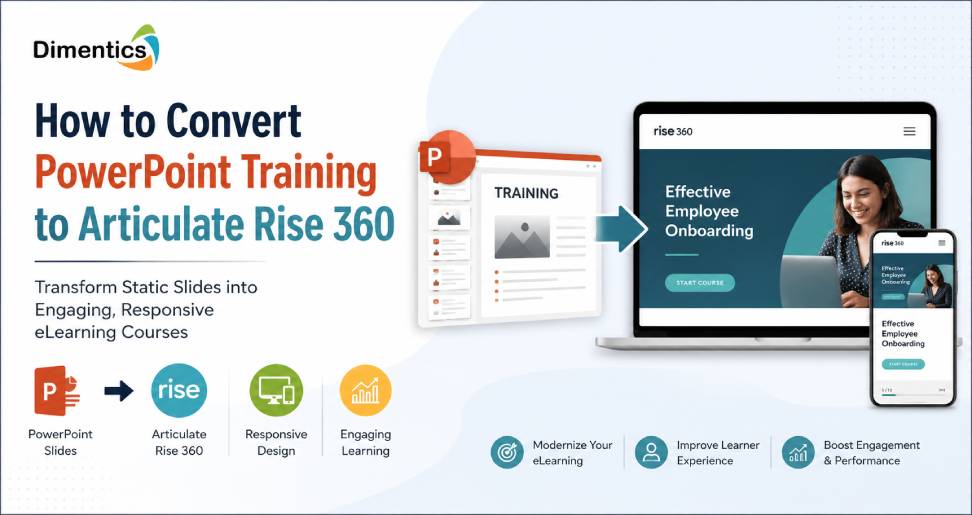
Organizations across the United States are rapidly modernizing their employee training programs. While PowerPoint presentations have long been the standard for corporate training, they often fail to provide the engaging, interactive, and mobile-friendly learning experiences that today’s workforce expects. This is why many Learning & Development (L&D) teams are searching for how to convert PowerPoint training to Articulate Rise 360 efficiently without losing valuable training content.
Articulate Rise 360 has become one of the most popular cloud-based eLearning authoring tools because it enables organizations to create responsive, interactive, and SCORM-compliant courses for Learning Management Systems (LMS). However, converting PowerPoint slides into effective Rise 360 courses involves much more than copying text and images. It requires instructional design expertise, learner-centric content development, accessibility compliance, and interactive learning strategies.
In this guide, we’ll walk through the complete process of converting PowerPoint training into engaging Articulate Rise 360 courses while highlighting industry best practices for U.S. businesses.
Why Companies Are Moving Beyond PowerPoint Training
Traditional PowerPoint presentations were designed for instructor-led sessions, not self-paced online learning. When organizations upload PowerPoint files directly to an LMS, learners often experience:
- Long blocks of text
- Limited learner engagement
- Poor mobile compatibility
- No meaningful interactions
- Lack of progress tracking
- Minimal knowledge retention
Modern learners expect training that is interactive, visually engaging, and accessible across desktops, tablets, and smartphones. Rise 360 delivers responsive courses automatically, making it a preferred choice for corporate training. Rise 360 is designed to create responsive eLearning with modular lessons and interactive blocks rather than functioning as a simple PowerPoint importer.
What Makes Articulate Rise 360 Different?
Unlike PowerPoint, Rise 360 is built specifically for digital learning. It offers features such as:
- Responsive course design
- Interactive knowledge checks
- Scenario-based learning
- Timeline interactions
- Accordion content blocks
- Flashcards
- Labeled graphics
- Process interactions
- Multimedia integration
- SCORM, xAPI, and cmi5 publishing
These capabilities help organizations create engaging learning experiences rather than static presentations.
Step 1: Audit Your Existing PowerPoint Training
Before converting your slides, review every presentation carefully.
Ask yourself:
- Is all content still accurate?
- Are outdated policies included?
- Are there duplicate slides?
- Does every slide support the learning objective?
- Can some information become downloadable resources?
Many PowerPoint presentations contain instructor notes that should be converted into narration, scenarios, or downloadable reference materials instead of appearing directly on learner screens.
Step 2: Define Learning Objectives
One of the biggest mistakes organizations make is recreating PowerPoint slides exactly as they appear.
Instead, identify:
- What learners need to know
- What learners should be able to do
- How success will be measured
This instructional design approach ensures the final course improves workplace performance instead of simply delivering information.
Step 3: Organize Content into Microlearning
Rise 360 works best when content is divided into smaller lessons.
Rather than creating a single 100-slide course, organize content into sections such as:
- Introduction
- Key Concepts
- Demonstrations
- Practical Examples
- Knowledge Checks
- Summary
Breaking information into manageable lessons improves learner engagement and completion rates.
Step 4: Replace Static Slides with Interactive Blocks
This is where the real transformation happens.
Instead of recreating PowerPoint slides, use Rise 360 interactions:
| PowerPoint Element | Rise 360 Alternative |
|---|---|
| Bullet lists | Accordion blocks |
| Process diagrams | Timeline interaction |
| Images with labels | Labeled Graphic |
| Definitions | Flashcards |
| Tables | Interactive tables |
| Long explanations | Tabs or Accordion |
| Flowcharts | Process blocks |
Articulate recommends reimagining PowerPoint content with interactive block types instead of treating slides as pages, improving engagement and mobile usability.
Step 5: Add Multimedia
Modern learners engage more effectively with multimedia than with text-heavy slides.
Enhance your Rise 360 course by adding:
- Professional narration
- Explainer videos
- Screen recordings
- Animated GIFs
- Interactive graphics
- Short demonstrations
This creates a richer learning experience while improving knowledge retention.
Step 6: Create Meaningful Assessments
Instead of ending the course with one quiz, place assessments throughout the learning journey.
Examples include:
- Knowledge checks
- Multiple-choice questions
- Scenario-based questions
- Matching exercises
- Decision-making activities
Frequent assessments reinforce learning and help identify knowledge gaps before course completion.
Step 7: Optimize for Accessibility
Many U.S. organizations must comply with accessibility standards such as ADA and Section 508.
During conversion, ensure:
- Proper heading structure
- Alt text for images
- Keyboard accessibility
- Closed captions
- Color contrast compliance
- Screen reader compatibility
Accessibility should be integrated throughout the development process rather than added afterward.
Step 8: Test Before Publishing
Always review the course on multiple devices.
Check:
- Mobile responsiveness
- Navigation
- Interactive elements
- Quiz functionality
- Media playback
- SCORM reporting
- Browser compatibility
Rise 360 includes preview features that make it easier to validate the learner experience before publishing.
Common Mistakes to Avoid
Many organizations make avoidable errors when converting PowerPoint into Rise 360.
These include:
- Copying slides without redesigning them
- Keeping excessive text
- Ignoring instructional design principles
- Using low-quality images
- Forgetting accessibility requirements
- Overloading lessons
- Skipping learner testing
Remember, an effective eLearning course is designed for interaction—not simply digitized slides.
Benefits of Professional PowerPoint-to-Rise 360 Conversion
Working with experienced eLearning developers offers several advantages:
- Faster project completion
- Instructional design expertise
- Professional visual design
- Accessibility compliance
- SCORM compatibility
- Higher learner engagement
- Improved knowledge retention
- LMS-ready delivery
Professional teams can also redesign legacy classroom materials into modern digital learning experiences aligned with organizational goals.
Why Choose Dimentics for eLearning Conversion Services?
Converting PowerPoint presentations into engaging Rise 360 courses requires more than technical expertise—it demands instructional design knowledge, accessibility awareness, and a learner-first approach.
At Dimentics, our services help organizations modernize legacy training into interactive, mobile-responsive, and learner-focused eLearning experiences. Whether you’re converting compliance training, onboarding materials, sales enablement content, or technical documentation, our team creates engaging Rise 360 courses tailored to your business goals.
We support organizations across the United States with:
- PowerPoint to Articulate Rise 360 conversion
- Legacy course modernization
- SCORM and xAPI course development
- Instructional design consulting
- ADA and Section 508 accessibility support
- Custom eLearning development
- Microlearning solutions
- LMS-ready course deployment
By combining instructional design best practices with modern authoring tools, we help businesses deliver impactful digital learning experiences that improve learner engagement and training outcomes.
Final Thoughts
As organizations continue investing in digital learning, understanding how to convert PowerPoint training to Articulate Rise 360 has become essential for creating engaging, scalable, and effective training programs. Rather than simply transferring slides, successful conversions involve restructuring content, incorporating interactive learning elements, optimizing for mobile devices, and ensuring accessibility compliance.
Whether you’re updating employee onboarding, compliance training, product education, or customer learning materials, converting PowerPoint presentations into Rise 360 courses can significantly improve learner engagement and knowledge retention. With the right instructional design strategy—and the support of experienced eLearning professionals—your organization can transform outdated presentations into modern learning experiences that deliver measurable results.
Latest Blog
- Curriculum Mapping Services for U.S. Schools and Educational Publishers
- How to Reduce Corporate Training Costs Without Compromising Learning Quality
- How to Create Interactive Digital Textbooks for K–12 Publishers in the USA
- Scenario-Based Learning Development Services for Corporate Training
- How eLearning Solutions Help Businesses Improve Employee Training and Performance