
How to Create Interactive Digital Textbooks for K–12 Publishers in the USA
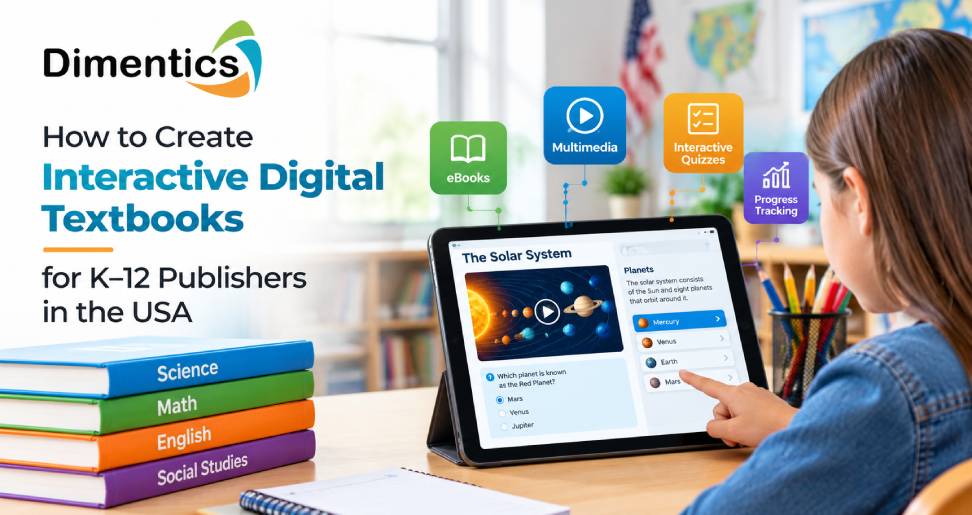
The education industry in the United States is rapidly embracing digital learning resources that make lessons more engaging, accessible, and flexible. For K–12 publishers, traditional textbooks remain valuable, but students and educators increasingly expect learning materials that combine text, visuals, interactive activities, and assessments. Interactive digital textbooks help meet these expectations by transforming static pages into engaging learning experiences.
Creating an effective digital textbook involves more than converting printed content into a PDF or eBook. Publishers must consider curriculum standards, grade-level appropriateness, accessibility, instructional design, and technology integration.
With professional education content development services, publishers can create digital textbooks that support diverse learning needs and improve classroom engagement. Companies such as Dimentics can help education organizations develop structured, technology-enabled learning content aligned with their educational objectives.
What Are Interactive Digital Textbooks?
Interactive digital textbooks are electronic learning resources that allow students to engage with educational content through multimedia and interactive features. Unlike traditional textbooks, these resources can include videos, audio explanations, animations, clickable diagrams, quizzes, simulations, and other digital activities.
For example, a science textbook for elementary students might include an animated explanation of the water cycle, a drag-and-drop activity for labeling its stages, and a short quiz to assess understanding.
Similarly, a mathematics textbook can provide step-by-step problem-solving demonstrations, interactive graphs, and instant feedback on practice questions.
For K–12 publishers in the USA, interactive textbooks offer opportunities to support different learning styles, reinforce academic concepts, and provide teachers with additional instructional resources.
1. Define Learning Objectives and Curriculum Requirements
The first step in developing an interactive digital textbook is identifying the learning objectives. Publishers should determine what students need to understand, practice, and demonstrate by the end of each chapter or lesson.
For the US K–12 market, content should be developed with the relevant state curriculum requirements and applicable academic standards in mind. Publishers may need to consider Common Core State Standards for mathematics and English language arts, as well as relevant state science standards.
Start by identifying:
- The target grade level and subject area.
- The knowledge and skills students should acquire.
- The prerequisite knowledge required for each lesson.
- The assessment methods used to measure learning outcomes.
- The needs of teachers, students, and school administrators.
Clear learning objectives help instructional designers select appropriate multimedia elements and interactive activities. They also ensure that technology supports educational outcomes rather than distracting students from the subject matter.
2. Organize Textbook Content Into Interactive Learning Modules
A well-structured digital textbook should present information in manageable sections. Long blocks of text can overwhelm younger learners, while poorly organized content makes it difficult to navigate lessons.
Publishers should divide textbook chapters into logical learning modules. Each module can include an introduction, an explanation of the concept, visual examples, guided practice, independent activities, and a short assessment.
Consider a middle-school biology textbook. A chapter about ecosystems could include an introductory video, an interactive food-chain diagram, a vocabulary activity, and a knowledge-check quiz.
This modular structure allows students to learn at a comfortable pace and revisit challenging concepts when necessary.
Professional curriculum development and instructional design services can help publishers transform complex subject matter into organized, age-appropriate learning experiences.
3. Choose the Right Software for Interactive Textbook Development
Selecting suitable authoring software is an important part of the development process. The right tool depends on the content format, required interactions, budget, technical expertise, accessibility requirements, and intended distribution platform.
Publishers may evaluate the following tools:
- Articulate Storyline 360: Useful for developing scenario-based activities, interactive lessons, quizzes, and branching learning experiences.
- Articulate Rise 360: Suitable for responsive, web-based learning content organized into structured lessons.
- Adobe Captivate: Supports interactive learning experiences, software simulations, and multimedia-based instruction.
- H5P: Offers reusable interactive content types, including quizzes, interactive videos, and drag-and-drop activities.
- iBooks Author alternatives and EPUB authoring tools: Useful when publishers need reflowable or fixed-layout digital books, depending on the chosen publishing workflow.
The best solution is not necessarily the one with the greatest number of features. It should support the textbook’s learning objectives, accessibility needs, content format, and delivery requirements.
What software can I use to create interactive training?
For interactive training, tools such as Articulate Storyline 360, Rise 360, Adobe Captivate, and H5P are worth evaluating. They support different combinations of quizzes, multimedia, branching scenarios, and interactive learning activities.
For K–12 digital textbooks, publishers should also assess EPUB 3 authoring and publishing workflows, HTML5 compatibility, and integration with learning management systems (LMSs). Testing on school-issued devices and commonly used browsers is essential before choosing a final platform.
Dimentics can be considered as a partner for custom eLearning development and educational content development, helping publishers plan engaging learning experiences around their specific requirements.
4. Incorporate Multimedia and Meaningful Interactions
Interactive elements should help students understand and apply concepts. Adding animations or videos simply to make a textbook look modern may increase production costs without improving learning outcomes.
Choose multimedia based on the subject and age group.
Effective interactive elements include:
- Short instructional videos that explain difficult concepts.
- Animated diagrams that illustrate scientific processes.
- Audio narration that supports developing readers.
- Drag-and-drop activities for matching concepts and definitions.
- Interactive timelines for history lessons.
- Practice questions with immediate, constructive feedback.
- Virtual experiments that allow students to explore scientific principles.
For example, a US history textbook might use an interactive timeline to show how important events connect chronologically. A geometry textbook could let students manipulate shapes to explore angles, area, and perimeter.
Keep activities focused, age-appropriate, and easy to navigate. Clear instructions and meaningful feedback help students understand mistakes and learn from them.
5. Make Digital Textbooks Accessible and Inclusive
Accessibility is essential when developing digital educational resources for US schools. Textbooks should accommodate students with different abilities, language needs, and learning preferences.
Publishers should consider the Web Content Accessibility Guidelines (WCAG) and applicable accessibility requirements, including Section 508 where relevant to the organization and procurement context. Requirements can vary by institution and use case, so publishers should evaluate their specific obligations.
Important accessibility practices include:
- Providing accurate captions and transcripts for audiovisual content.
- Adding meaningful alternative text to informative images.
- Ensuring keyboard accessibility for interactive activities.
- Using readable fonts, sufficient contrast, and clear layouts.
- Avoiding color as the only way to communicate information.
- Supporting screen readers and accessible navigation.
- Testing content with assistive technologies.
Accessibility should be incorporated from the planning stage rather than added at the end. This approach can reduce costly revisions and help publishers deliver more inclusive learning resources.
Dimentics can support publishers seeking digital accessibility and WCAG remediation services for educational content, depending on project requirements.
6. Align Textbooks With Assessment and Feedback Strategies
Assessments help teachers and students determine whether learning objectives have been achieved. Interactive digital textbooks can integrate formative assessments directly into lessons.
For example, a mathematics lesson may include practice problems with hints, while an English language arts module may contain reading-comprehension questions and vocabulary exercises.
Useful assessment features include:
- Multiple-choice and true-or-false questions.
- Short-answer exercises.
- Knowledge checks after each section.
- Hints and explanations for incorrect responses.
- End-of-chapter assessments.
- Progress indicators and completion tracking.
Publishers should ensure that feedback explains why an answer is correct or incorrect instead of simply displaying a score.
Where appropriate, textbooks can connect with an LMS to support assignment delivery and learning progress monitoring. Any data collection should follow applicable student privacy requirements, including relevant obligations under FERPA and COPPA.
7. Test the Textbook Before Publishing
Quality assurance is critical before releasing an interactive textbook to schools. A resource that works well on a desktop computer may behave differently on a tablet, Chromebook, or mobile device.
Testing should cover:
Technical performance: Check loading speed, navigation, media playback, hyperlinks, and interactive elements.
Educational accuracy: Review facts, explanations, examples, assessments, and grade-level suitability.
Accessibility: Test keyboard navigation, screen-reader compatibility, captions, contrast, and other relevant requirements.
Device compatibility: Evaluate supported browsers, operating systems, and school-issued devices.
Teacher and student usability: Gather feedback from representative users and revise confusing sections.
Publishers should also establish a process for updating content when curricula, standards, or educational requirements change.
8. How Can I Create My Own Textbook?
If you want to create your own textbook, begin with a clear subject, target audience, and set of learning objectives. Next, organize the material into chapters, write age-appropriate explanations, and prepare examples and assessments.
Follow these practical steps:
- Research curriculum requirements and identify learning outcomes.
- Create a detailed chapter outline and content plan.
- Develop the manuscript, illustrations, and learning activities.
- Select an appropriate digital publishing or authoring platform.
- Add interactive features that reinforce key concepts.
- Apply accessibility and quality assurance checks.
- Test the textbook with teachers and representative students.
- Publish the content in suitable formats and plan future updates.
For a basic digital book, a conventional eBook workflow may be sufficient. For a fully interactive K–12 textbook, you may need instructional designers, subject-matter experts, illustrators, accessibility specialists, and developers.
Working with an experienced content development partner can help publishers manage these requirements more efficiently.
Why K–12 Publishers Should Consider Dimentics
Developing interactive textbooks requires a combination of educational expertise, content strategy, design, and technology. Publishers that lack the necessary in-house resources may benefit from working with a specialist.
Dimentics offers an opportunity for K–12 publishers and educational organizations to explore professional support for creating engaging digital learning resources.
Relevant service areas to consider include:
- Education Content Development Services: Structuring educational material around learning objectives and curriculum requirements.
- Custom eLearning Development Services: Creating interactive digital lessons, assessments, and multimedia learning experiences.
- Curriculum Alignment Services: Helping organize content around relevant academic standards and instructional goals.
- Learning Animation Services: Explaining complex concepts through visual storytelling and animation.
- Digital Accessibility and WCAG Remediation Services: Addressing accessibility barriers in digital educational content.
Publishers can explore these services at Dimentics to determine which solutions align with their textbook development goals. Specific deliverables should be confirmed with the Dimentics team before beginning a project.
Conclusion
Creating interactive digital textbooks for K–12 publishers in the USA requires a thoughtful combination of curriculum alignment, instructional design, suitable authoring software, multimedia, accessibility, and quality assurance.
The most effective textbooks use technology to strengthen understanding, encourage active participation, and support teachers in delivering engaging lessons. By planning learning objectives carefully, selecting appropriate tools, and testing content across devices, publishers can create resources that meet modern classroom expectations.
For publishers seeking external expertise, Dimentics may be a useful partner to explore for educational content development, custom eLearning, curriculum alignment, learning animations, and accessibility-related services.
A well-designed interactive textbook is more than a digital version of a printed book. It is a flexible learning resource that can help students explore ideas, practice essential skills, and build a stronger understanding of the subjects they study.
Latest Blog
- Curriculum Mapping Services for U.S. Schools and Educational Publishers
- How to Reduce Corporate Training Costs Without Compromising Learning Quality
- How to Create Interactive Digital Textbooks for K–12 Publishers in the USA
- Scenario-Based Learning Development Services for Corporate Training
- How eLearning Solutions Help Businesses Improve Employee Training and Performance