
Website Accessibility Audit Guide: A Complete Checklist for Better User Experience and Compliance
In today’s digital world, a website should be accessible to everyone, regardless of their abilities. Whether someone uses a screen reader, keyboard navigation, or other assistive technology, they should be able to access your content without barriers. This is where a Website Accessibility Audit Guide becomes essential.
A website accessibility audit helps identify usability issues that prevent people with disabilities from accessing your website effectively. More importantly, it ensures compliance with the Web Content Accessibility Guidelines, improves user experience, and strengthens your brand’s reputation. Organizations increasingly use WCAG 2.1 Level AA as the benchmark for accessible digital experiences because it covers both technical and user-centered accessibility requirements.
Let’s explore why accessibility audits matter, what they include, and how businesses can stay compliant.
What Is a Website Accessibility Audit?
A website accessibility audit is a comprehensive evaluation of your website to determine whether it meets established accessibility standards. The audit identifies barriers that may prevent users with disabilities from accessing content, completing forms, navigating pages, or interacting with digital features.
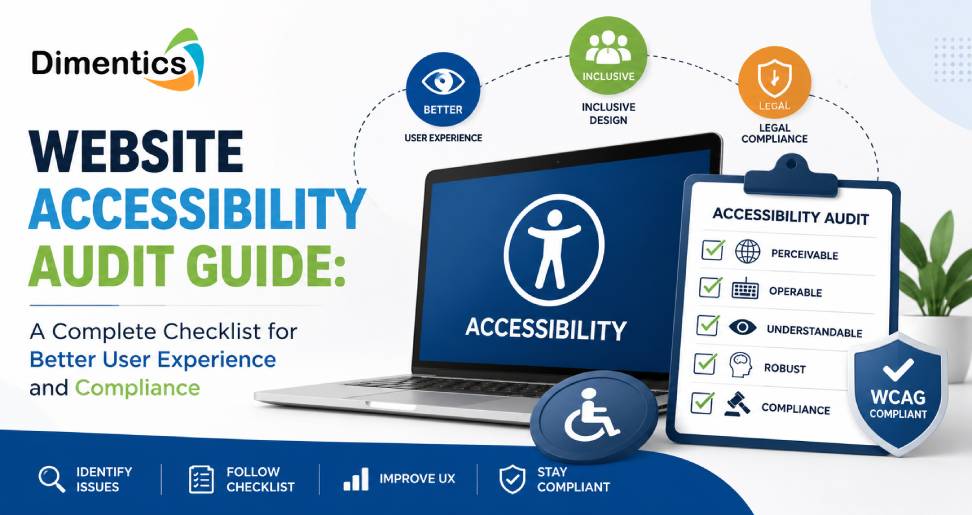
The primary objective is to ensure your website complies with the web content accessibility guidelines (WCAG), the internationally recognized standard developed by the World Wide Web Consortium (W3C). WCAG organizes accessibility around four principles: content should be Perceivable, Operable, Understandable, and Robust (POUR).
An accessibility audit generally combines automated scanning with manual testing because automated tools can detect only a portion of accessibility issues, while manual reviews uncover usability problems that software cannot reliably identify.
Why Is Website Accessibility Important?
Accessibility isn’t just about compliance—it’s about creating an inclusive digital experience.
Here are some major benefits:
- Improves usability for all visitors
- Expands your audience reach
- Enhances SEO performance through better site structure
- Reduces legal and compliance risks
- Builds trust and strengthens brand reputation
Accessible websites often have cleaner navigation, descriptive headings, better image optimization, and improved content organization—all of which also benefit search engine rankings.
Website Accessibility Audit Checklist
A reliable wcag guidelines checklist covers multiple aspects of website usability.
1. Keyboard Accessibility
Users should be able to navigate every page using only a keyboard. Interactive elements such as buttons, menus, and forms must be accessible without requiring a mouse.
2. Alternative Text for Images
Every meaningful image should include descriptive alt text so screen readers can communicate the information to visually impaired users.
3. Color Contrast
Text should maintain sufficient contrast against its background to remain readable for users with low vision or color blindness. WCAG specifies minimum contrast ratios for Level AA compliance.
4. Proper Heading Structure
Headings should follow a logical hierarchy (H1, H2, H3) to improve navigation for assistive technologies.
5. Accessible Forms
Forms should include:
- Clear labels
- Helpful error messages
- Accessible validation
- Keyboard navigation
6. Multimedia Accessibility
Videos should provide captions, while audio content should include transcripts whenever appropriate.
7. Responsive Design
Your website should remain fully accessible across desktops, tablets, and mobile devices.
8. Screen Reader Compatibility
Content should work seamlessly with popular screen readers through semantic HTML and appropriate ARIA attributes where needed.
Understanding the WCAG 2.1 AA Checklist
Many organizations follow the wcag 2.1 aa checklist because it balances accessibility with practical implementation.
Some essential WCAG 2.1 AA requirements include:
- Text alternatives for non-text content
- Keyboard operability
- Visible focus indicators
- Consistent navigation
- Sufficient color contrast
- Resizable text
- Error identification and suggestions
- Accessible page titles
- Clear link descriptions
- Proper HTML semantics
Meeting these requirements creates a more inclusive experience for users with visual, hearing, motor, and cognitive disabilities.
Common Accessibility Issues Found During Audits
Accessibility audits frequently uncover issues such as:
- Missing image alt text
- Low color contrast
- Improper heading hierarchy
- Unlabeled form fields
- Keyboard traps
- Missing focus indicators
- Poor link descriptions like “Click Here”
- Videos without captions
- Inaccessible PDFs
- Non-responsive layouts
Identifying these issues early helps prevent usability challenges before they impact customers.
Automated vs Manual Accessibility Testing
Many businesses assume automated tools are enough, but they are only one part of the process.
Automated testing quickly detects technical issues such as:
- Missing alt attributes
- Contrast problems
- HTML validation errors
However, manual testing evaluates:
- Keyboard navigation
- Screen reader experience
- Logical reading order
- User interactions
- Content clarity
Industry guidance consistently recommends combining both methods because automated tools identify only a subset of WCAG issues.
Best Practices for Maintaining Accessibility
Accessibility should be an ongoing effort rather than a one-time project.
Some best practices include:
- Conduct regular accessibility audits
- Train developers and content creators
- Follow the latest WCAG recommendations
- Test after major website updates
- Include accessibility in every stage of design and development
Continuous monitoring helps maintain compliance as websites evolve.
Why Choose Dimentics for Website Accessibility Audits?
Implementing accessibility standards can be complex, especially for growing businesses managing large websites.
Dimentics helps organizations simplify accessibility through professional website accessibility audits, detailed remediation guidance, and expert consultation aligned with modern accessibility standards.
Whether you’re launching a new website or improving an existing one, Dimentics can help you:
- Perform comprehensive accessibility assessments
- Identify WCAG compliance gaps
- Prioritize critical accessibility fixes
- Improve user experience across all devices
- Build accessible, inclusive digital experiences
By partnering with Dimentics, businesses can confidently move toward better compliance while delivering a website that serves every visitor effectively.
Conclusion
Accessibility is no longer optional—it is a vital part of delivering an exceptional digital experience. A thorough Website Accessibility Audit Guide helps organizations identify usability barriers, improve customer satisfaction, strengthen SEO performance, and align with recognized accessibility standards.
By following the web content accessibility guidelines, using a comprehensive wcag guidelines checklist, and implementing the wcag 2.1 aa checklist, businesses can create websites that are inclusive, user-friendly, and future-ready.
If you’re looking to improve your website’s accessibility, partnering with Dimentics can streamline the entire process, helping you build a compliant, accessible, and high-performing website for every user.
Latest Blog
- AI and Digital Skills Training in the US: Preparing the Workforce for a Digital Future
- Education Content Development Services in US: Building Engaging, Effective Learning Experiences
- Curriculum Alignment vs. Standards Alignment: Which Does Your Education Business Need?
- How to Choose the Right eLearning Content Development Company for Your Organization
- A Complete Guide to Standards Correlation for K–12 Publishers