
VPAT vs. ACR: What U.S. Education and eLearning Organizations Need to Know
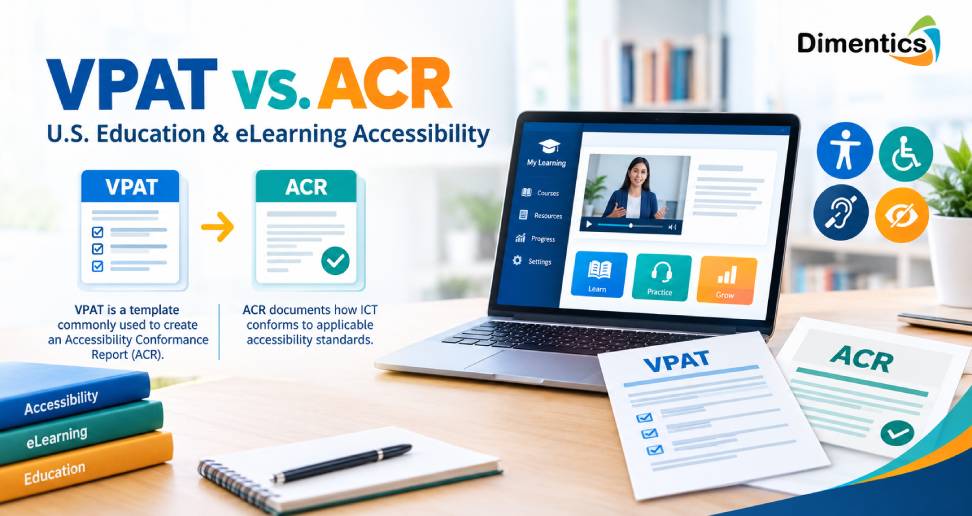
Digital accessibility has become an increasingly important consideration for U.S. education institutions, publishers, training providers, and eLearning organizations. As schools, universities, government agencies, and businesses rely more heavily on digital learning platforms, ensuring that technology can be accessed by people with disabilities is no longer simply a technical consideration—it is an important part of responsible digital content development.
Two terms frequently appear in accessibility discussions: VPAT and ACR. Although they are closely connected, they are not the same thing. Understanding the difference can help education and eLearning organizations evaluate vendors, document accessibility practices, and make more informed technology purchasing decisions.
What Is a VPAT?
VPAT stands for Voluntary Product Accessibility Template. It is a standardized document originally developed to help technology providers describe how their products or services address accessibility requirements.
A VPAT is essentially a template used to organize information about a product’s accessibility features and conformance. It can cover different accessibility standards, depending on the version and purpose of the document.
For education and eLearning organizations, a VPAT can be particularly useful when evaluating products such as:
- Learning management systems
- Educational software
- Digital textbooks
- Assessment platforms
- Online courseware
- Collaboration tools
- Multimedia learning applications
A vendor may provide a completed VPAT to explain how its technology addresses accessibility criteria. However, simply having a VPAT does not automatically mean that a product is fully accessible.
What Is an ACR?
ACR stands for Accessibility Conformance Report. An ACR is the completed accessibility report that describes how a specific product or service conforms to applicable accessibility standards.
In many cases, a completed VPAT becomes the foundation for an ACR. The terminology can therefore create confusion. People sometimes use “VPAT” and “ACR” interchangeably, but they refer to different things.
The VPAT is the reporting template, while the ACR is the completed report describing accessibility conformance.
An ACR typically provides information about individual accessibility criteria and may indicate whether a product fully supports, partially supports, or does not support particular requirements.
VPAT vs. ACR: The Key Difference
The easiest way to understand the distinction is to think of a VPAT as the framework and an ACR as the completed assessment document.
For example, an education technology company developing an online learning platform might use a VPAT to structure its accessibility assessment. Once the relevant information has been evaluated and documented, the resulting report can serve as an ACR.
This distinction matters because organizations purchasing technology need to understand what documentation a vendor is actually providing.
| VPAT | ACR |
|---|---|
| A standardized accessibility reporting template | A completed accessibility conformance report |
| Provides the structure for reporting | Provides product-specific accessibility information |
| Used by vendors during accessibility documentation | Used by organizations to review accessibility conformance |
| Does not itself prove full accessibility | Describes the level of conformance reported |
The presence of either document should therefore be considered part of a broader accessibility evaluation rather than treated as an automatic guarantee.
Why This Matters to U.S. Education Organizations
Educational organizations serve diverse learners, including students, instructors, staff, and other users with disabilities. Digital accessibility can affect everything from course registration and learning materials to assessments, videos, documents, and communication tools.
When institutions purchase or license educational technology, accessibility documentation can help procurement teams identify potential limitations before implementation.
For example, an institution evaluating an LMS may want to understand whether users can:
- Navigate the platform using a keyboard
- Access content with assistive technologies
- Understand video content through captions
- Use sufficient color contrast
- Complete assessments without unnecessary accessibility barriers
- Navigate pages using appropriate headings and labels
- Interact with forms and controls using screen readers
An ACR can provide useful information for this type of evaluation.
VPAT and Section 508
Section 508 is an important accessibility consideration for U.S. federal agencies and organizations working with federal procurement requirements. Technology vendors may use accessibility documentation to communicate how their products address applicable requirements.
For education technology companies and organizations serving government-related customers, understanding Section 508 can be particularly valuable.
However, accessibility requirements can vary depending on the organization, contract, technology, and applicable legal or institutional requirements. Organizations should therefore avoid assuming that one accessibility document automatically satisfies every requirement.
VPAT, ACR, and WCAG
The relationship between VPAT/ACR documentation and WCAG (Web Content Accessibility Guidelines) is also important.
WCAG provides internationally recognized recommendations for making web content more accessible. Its success criteria address areas such as perceivability, operability, understandability, and robustness.
An ACR may reference WCAG criteria when documenting a product’s accessibility. For eLearning organizations, this can help connect accessibility evaluation with practical digital experiences.
For example, an online course might need accessible:
- HTML pages
- PDFs
- Presentations
- Interactive activities
- Videos
- Audio resources
- Quizzes
- Navigation menus
- Downloadable learning materials
Organizations that want to strengthen these areas can benefit from professional Digital Accessibility Services that evaluate content and identify accessibility improvements.
Why a VPAT or ACR Is Not Enough
One of the most important points for education and eLearning organizations is that accessibility documentation should not be treated as the entire accessibility strategy.
A product may have an ACR while still requiring remediation or configuration changes. Accessibility can also change as software, content, integrations, and user interfaces are updated.
For this reason, organizations should consider combining vendor documentation with their own evaluation processes.
A practical accessibility review may include:
- Reviewing the vendor’s ACR.
- Identifying the standards covered by the report.
- Checking the date and scope of the assessment.
- Reviewing areas listed as partially supported or not supported.
- Testing critical workflows.
- Considering assistive technology compatibility.
- Evaluating accessibility of the organization’s own content.
- Establishing an ongoing remediation process.
This approach provides a more realistic understanding of accessibility than relying on a single document.
How Dimentics Can Support Accessibility-Focused Learning
For organizations developing or delivering digital education, accessibility needs to be considered throughout the content lifecycle.
Dimentics supports organizations with services designed around digital learning, instructional content, and accessibility requirements. Its VPAT Compliance Services can help organizations understand and document accessibility considerations when evaluating digital products and learning technologies.
Dimentics also provides eLearning Content Development Services, helping organizations create structured digital learning experiences that can incorporate accessibility considerations from the planning stage.
For organizations working on broader accessibility initiatives, Digital Accessibility Services can support efforts to identify barriers across digital learning materials and experiences.
This can be particularly useful for educational publishers, corporate training teams, universities, and organizations developing large libraries of online learning content.
What Should Organizations Ask Vendors?
When reviewing an education technology product, procurement and learning teams can ask vendors several practical questions:
- Is an Accessibility Conformance Report available?
- Which accessibility standards are covered?
- What version of the standard was used?
- When was the assessment completed?
- Which product version was evaluated?
- Are any criteria partially supported or not supported?
- What accessibility limitations are currently known?
- Is remediation planned for identified issues?
- Does the documentation cover third-party integrations?
- How frequently is accessibility reassessed?
These questions can help organizations move beyond simply asking whether a product is “accessible.”
Building Accessibility Into eLearning Development
Accessibility works best when it is incorporated from the beginning rather than treated as a final-stage correction.
Organizations developing new courses can consider accessibility during instructional design, content development, multimedia production, assessment creation, and LMS implementation.
For organizations developing or modernizing learning platforms, LMS Development Services can also play an important role in creating learning environments where accessibility is considered as part of the overall technology architecture.
The same principle applies to digital documents, interactive modules, videos, simulations, and assessments. Accessibility should be part of the development workflow rather than an isolated compliance task.
Final Thoughts
VPAT and ACR are closely related but serve different purposes. A VPAT provides the standardized structure used to document accessibility information, while an ACR is the completed report describing how a particular product or service conforms to applicable accessibility requirements.
For U.S. education and eLearning organizations, understanding this distinction can make technology procurement and accessibility planning more effective. However, documentation should be considered alongside hands-on testing, content accessibility, user experience, and ongoing remediation.
As digital learning continues to expand, organizations that integrate accessibility into instructional design, content development, and technology decisions can create more inclusive learning experiences.
With services spanning VPAT Compliance Services, Digital Accessibility Services, eLearning Content Development Services, and LMS Development Services, Dimentics can support organizations looking to make accessibility a practical part of their digital learning strategy.
Latest Blog
- VPAT vs. ACR: What U.S. Education and eLearning Organizations Need to Know
- Training Modernization Services in the US: Transforming Legacy Learning for the Digital Age
- AI and Digital Skills Training in the US: Preparing the Workforce for a Digital Future
- Education Content Development Services in US: Building Engaging, Effective Learning Experiences
- Curriculum Alignment vs. Standards Alignment: Which Does Your Education Business Need?